 KanjiYome
Tap any word
01 / 07
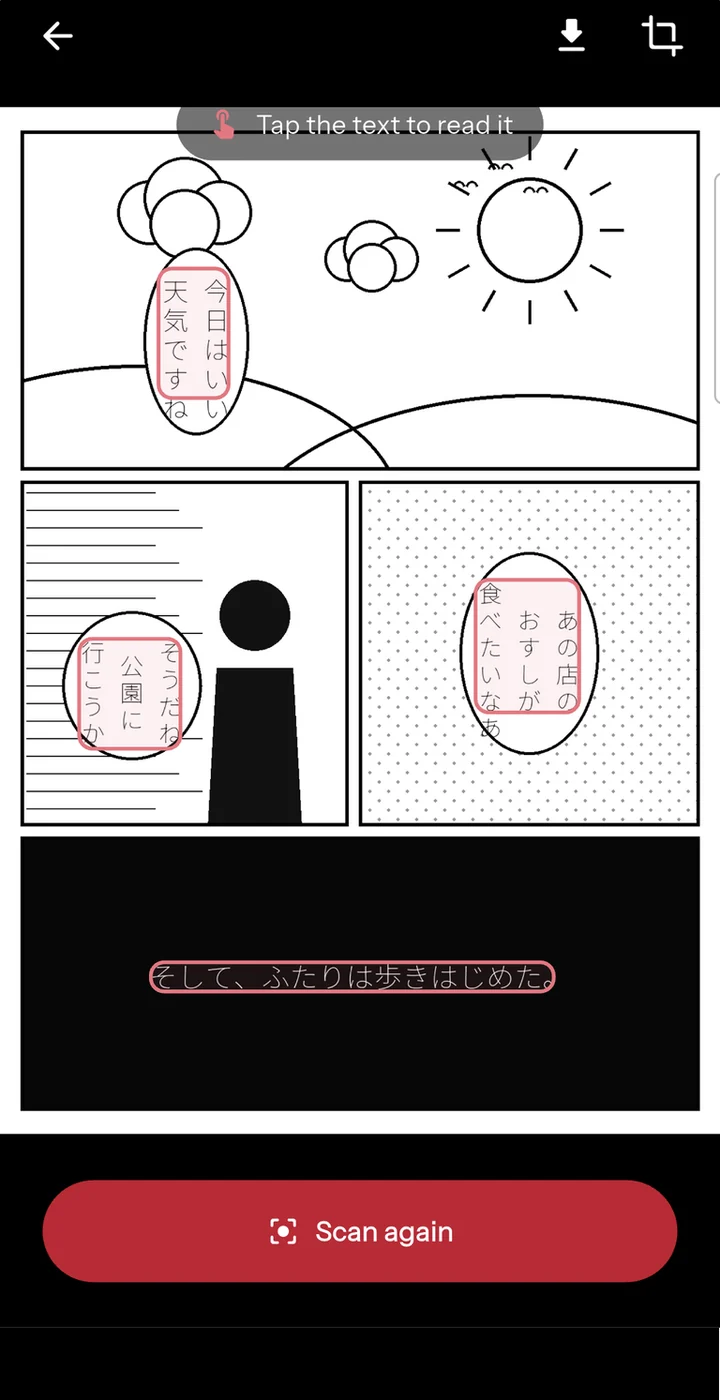
Point the camera at anything
Manga, a novel, a sign in the street. The OCR reads vertical and horizontal Japanese, and every line comes back as text you can tap.
Android · offline · no account
Point the camera at a page, or paste a text. The readings appear over the kanji, the meaning is one tap away, and any word you meet can become a card you will see again.
What it does
、。
Tap any word
Why this exists
I am learning Japanese, and like everyone I started with flashcard apps. They work, but after a while every session felt like a chore to get through, and I still could not open a book and understand it.
What I actually wanted was to read. Real texts, real manga, real videos, and to look up what I did not know without losing the thread. Nothing did that the way I wanted, so I started writing it for myself.
KanjiYome is that app. It puts the readings over the kanji, gives you the meaning in one tap, and quietly turns the words you looked up into review cards. You keep reading; the studying happens on the side.
My own goal is the JLPT N2, because I would like to work in Japan one day. The app is built around that goal, so it takes you all the way: read something real, understand it, and remember it.
The person behind KanjiYome
Right now everything goes into the Android app on Google Play: that is where I can ship, fix, and see what people actually use. An iPhone version is next, and I am aiming for the end of 2026. It is a side project, not a company, so I would rather do one thing properly than promise two.
Stop translating.
Start reading.
A translation hands you the meaning and takes the language away. Furigana hands you the language and lets you keep the meaning.
What it does
Getting the reading right is the whole job. The same kanji can be read several ways, and only the sentence around it decides which one: KanjiYome works that out, and when it is not sure, it says so rather than pretending.
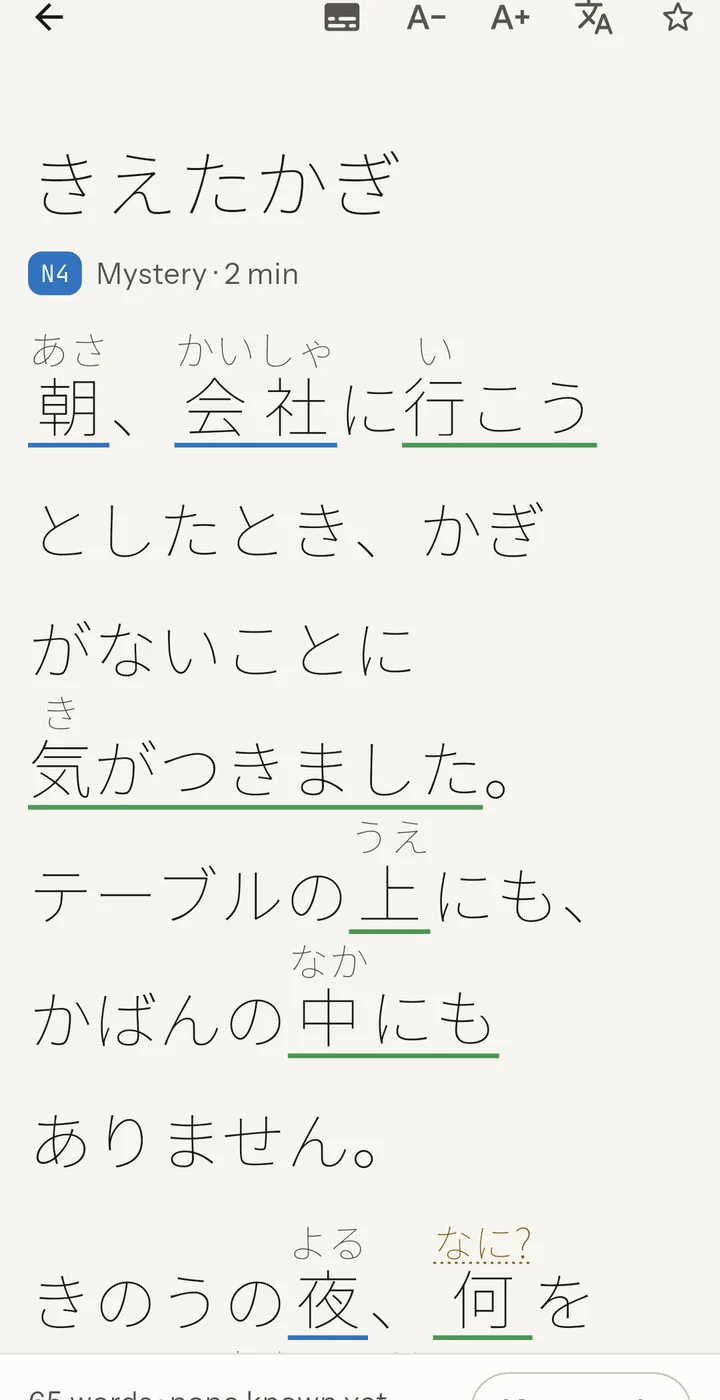
Its reading is already above it. You keep going instead of stopping, and that is the whole difference.
One tap: the meaning, the level, the kanji taken apart. Without leaving the page you were on.
You meet it again in a real sentence at your level, in the free feed. A word you meet twice stops being a stranger.
It became a card, carrying the sentence you met it in. You never sat down to learn it.
The tour
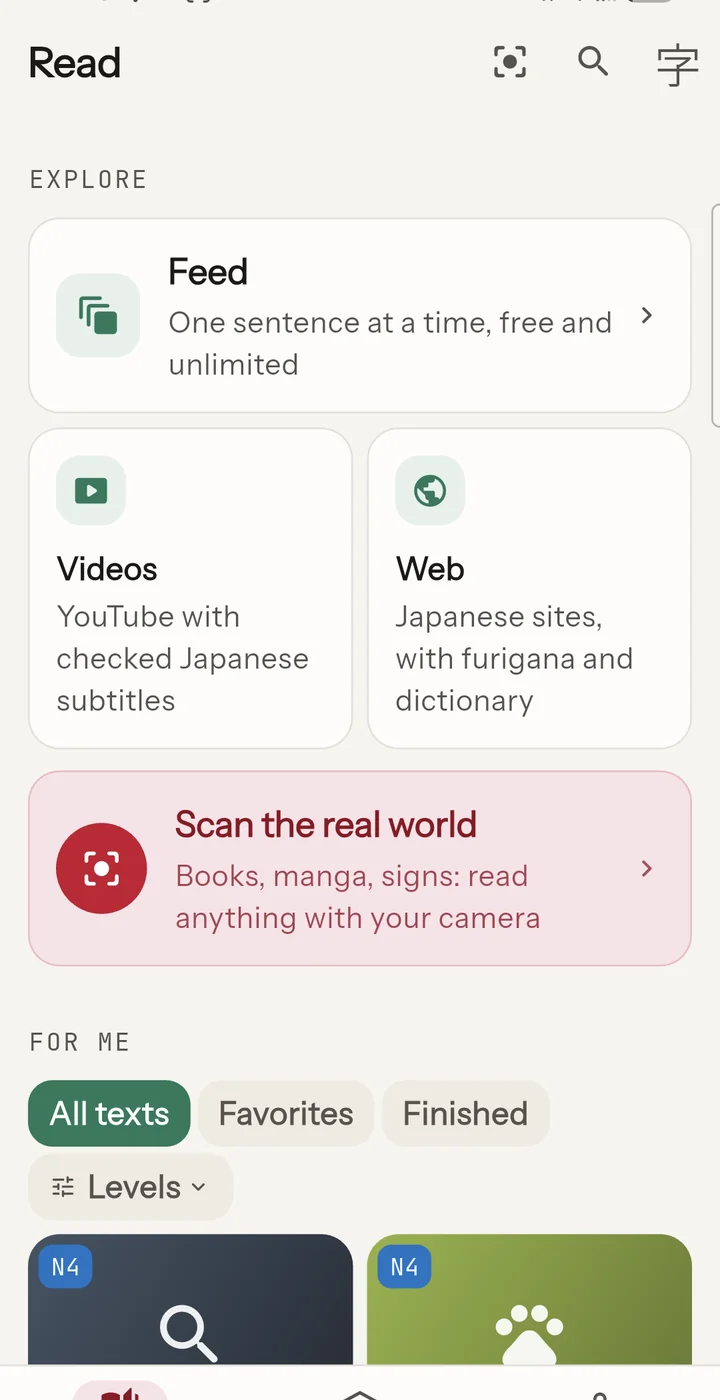
Screenshots of the published Android app, in the order you meet them. Swipe, drag, or use the arrows.
Manga, a novel, a sign in the street. The OCR reads vertical and horizontal Japanese, and every line comes back as text you can tap.
Furigana appear where they help and step back as you learn: every word, your JLPT level, or only the words you have never met.
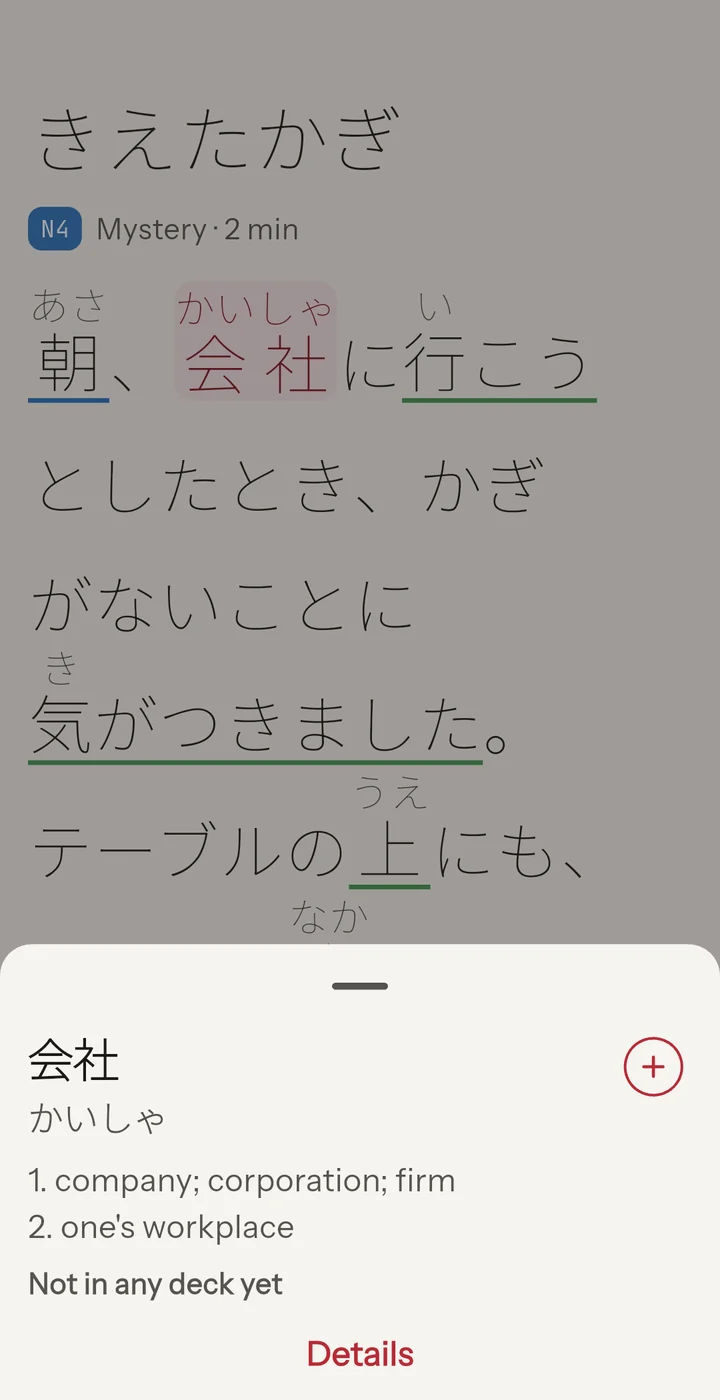
Meaning, reading, part of speech, JLPT level, pitch accent and the kanji sheet. Without leaving the page you were reading.
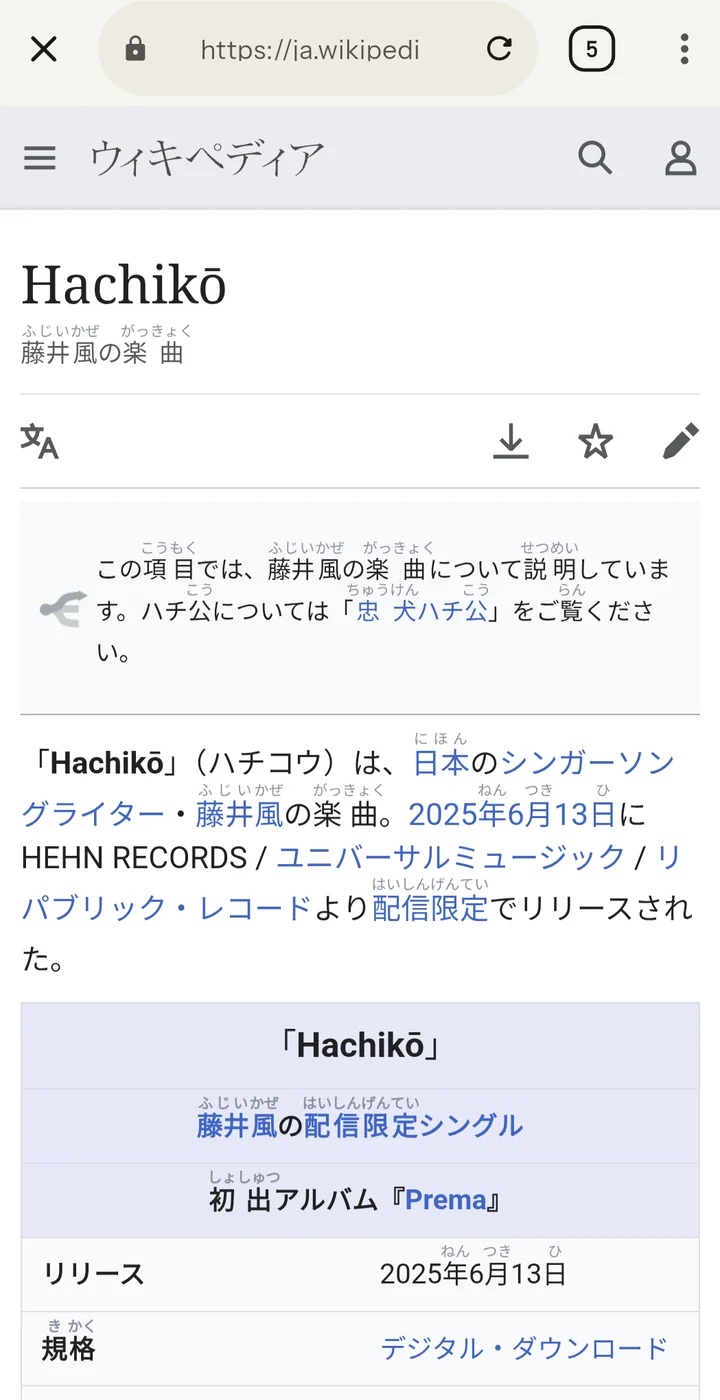
The in-app browser injects furigana into the page itself and keeps the dictionary one tap away. Wikipedia, news, blogs: real Japanese, not exercises.
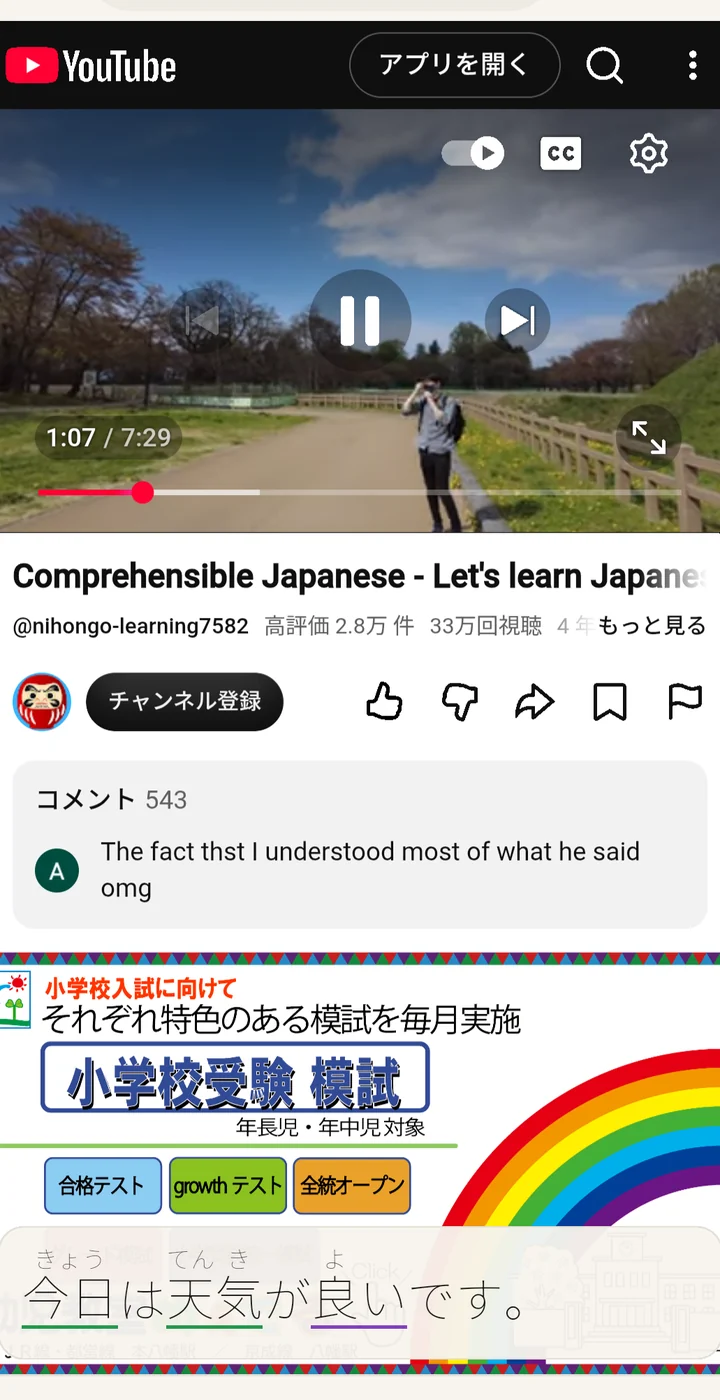
Japanese subtitles become text you can tap. Tap the word you missed, and the card keeps the moment it was said.
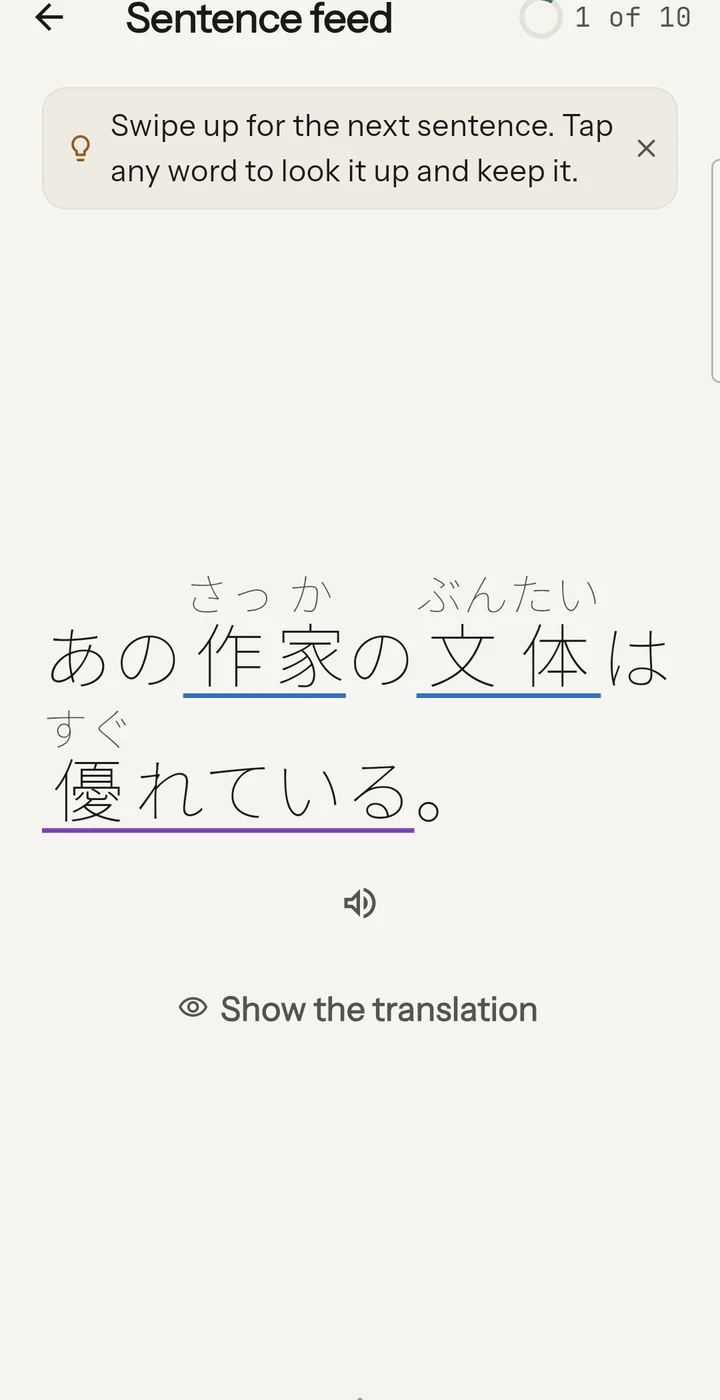
A vertical feed of real Japanese, graded to your level. Free, unlimited, and it remembers what it has already shown you.
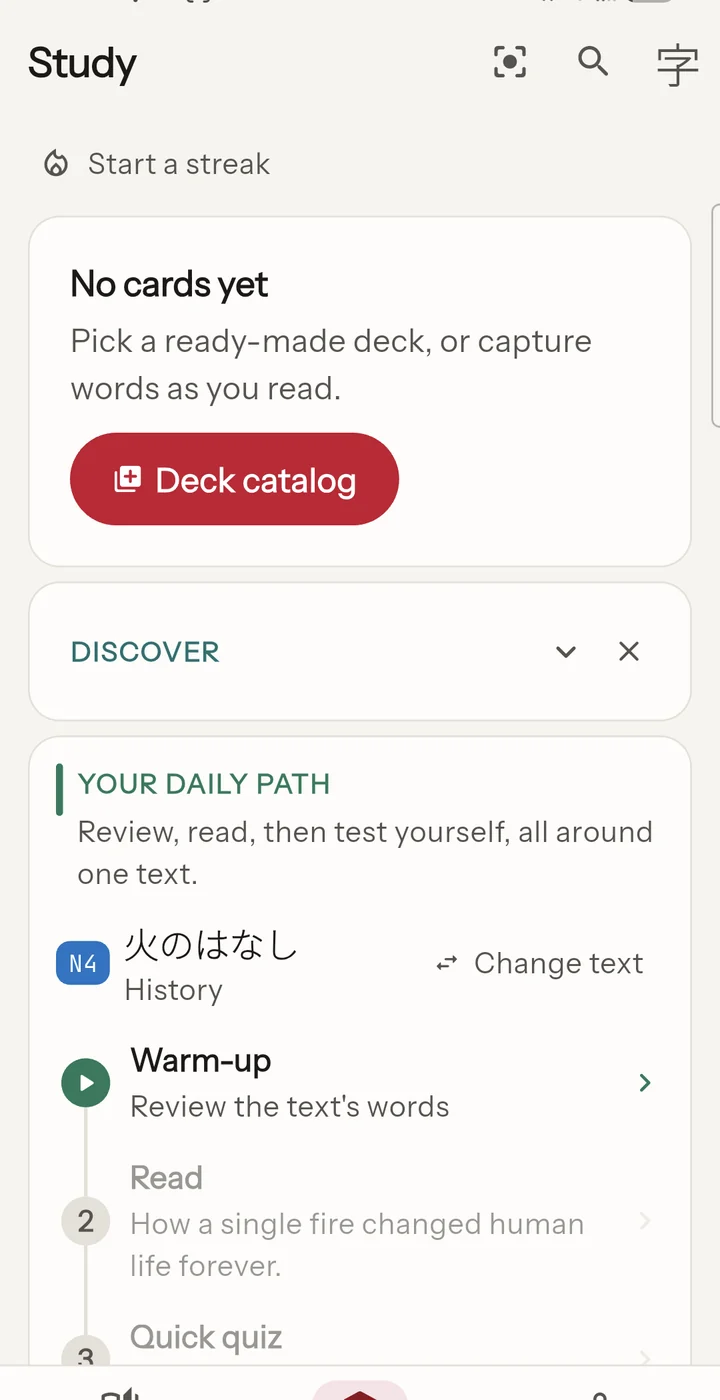
A word you tapped becomes a card. The app picks the day you see it again, and the sentence you met it in comes with it.
Where you read
The app never asks you to go and find your own material. You open it, and something at your level is already there.
Under it
The tricky words come out right: 今日 is きょう, 下手 is へた, 何時 is なんじ. When two readings are genuinely possible, the app marks the one it chose instead of hiding the doubt.
Tap any word: meanings, reading, part of speech, JLPT level, kanji sheet with components. Without leaving the text.
Every word is underlined by its hardest kanji, from N5 green to N1 orange: see at a glance what is within reach.
Reads paper books and manga through the camera: Japanese OCR, furigana over the image, and the same dictionary underneath.
The dictionary ships inside the app. Your scans and your texts never leave the phone, and nothing is sent anywhere to read them.
A word you looked up becomes a card, with the sentence you found it in. The app picks the day to show it to you again, and your Anki decks can come in and out.
Plans
Reading is free. Premium adds the study tools; AI analysis is in Max.
Offline OCR and furigana, full dictionary, 70 graded texts, the sentence feed, quizzes and grammar, reviews, every ready-made deck, and progress sync.
Everything in free, plus unlimited review cards, mock exams, web and YouTube immersion, Anki import/export and starred-word sync. No AI.
or €39.99 per year, or €129.99 for life (3-day free trial)
Everything in Premium, plus AI analysis of difficult texts. Already on Premium? The AI Module alone is €2.99 per month.
or €59.99 per year (3-day free trial)
| Free | Premium | Max | |
|---|---|---|---|
| Offline furigana reading and dictionary | Free | Premium | Max |
| Camera scan (books, manga) | Free | Premium | Max |
| Ready-made decks, quizzes, grammar, 70 texts | Free | Premium | Max |
| Unlimited review cards, mock exams | Premium | Max | |
| Web immersion and YouTube subtitles | Premium | Max | |
| Anki import/export and starred-word sync | Premium | Max | |
| AI analysis of difficult texts | Max |
Auto-renewing subscription, cancel anytime on Google Play. The AI Module (€2.99 per month) adds to an existing Premium subscription. Prices shown for reference.
Yes. Scanning, reading, the dictionary and reviews all run on the phone. An account is only needed to carry your progress to another device, and web immersion needs the network by nature.
No. You can install the app and read without one. An account exists so that reinstalling does not lose your cards, and that is free.
From the big open Japanese dictionary projects, the same ones most tools are built on. They ship inside the app, so it works with no connection. Every source is credited on the licences page.
Not yet. Android is where all the work goes today; I am aiming to have an iPhone version out by the end of 2026.
Talk to me
I read everything. If something is wrong, if a reading is off, if you have an idea, or if you just want to say hello, write to me. One person answers, and it is me.
Free to read, with no ads. Premium and Max add the study tools when you want them.